
Gatsbi Review 2027: Pricing, Features, Pros & Cons, Ratings & More

Co-Founder and Chief Data Scientist

Gatsbi: Top AI Software
4 / 5
Gatsbi Review
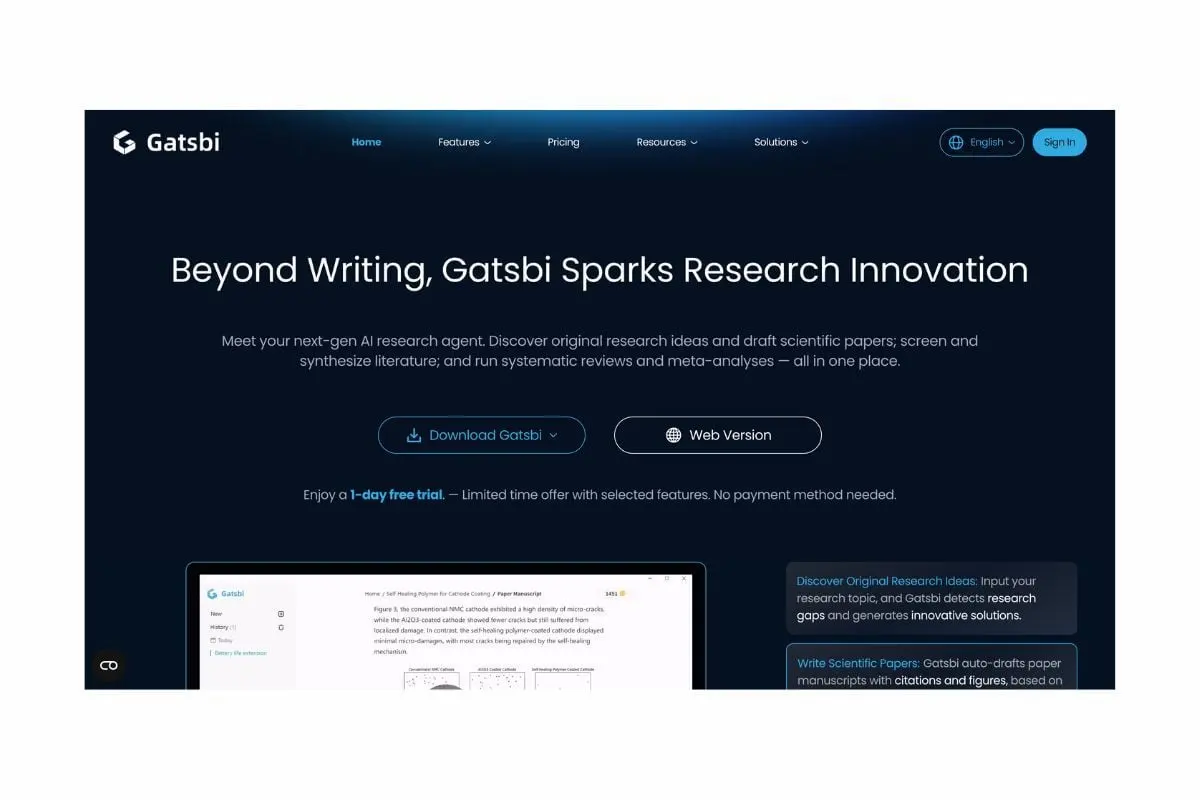
What is Gatsbi?
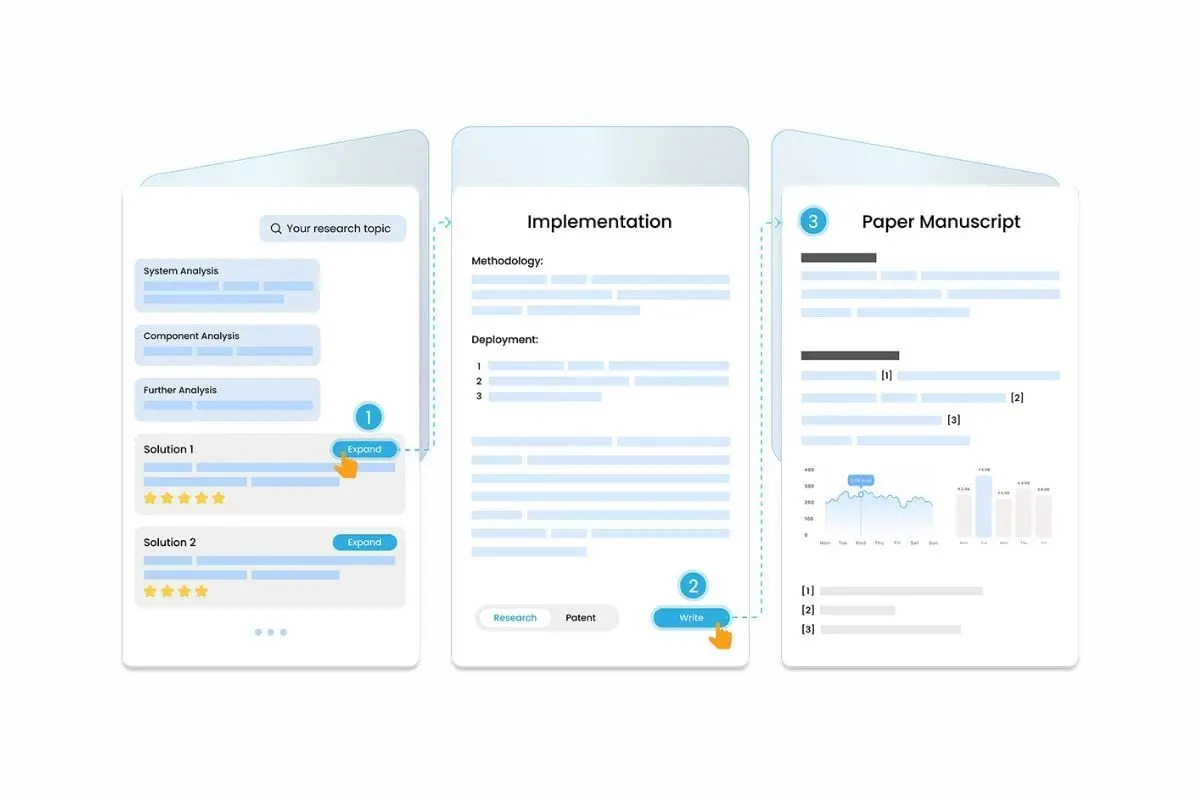
Gatsbi is a platform that uses artificial intelligence (AI) to help with academic writing, research ideation, and patent paperwork. Fundamentally, Gatsbi enables users (researchers, scholars, and innovators) to enter a topic or area of interest, and it automatically generates a variety of unique research ideas. It then identifies gaps in the existing literature and helps create comprehensive manuscripts that include sections such as the literature review, methodology, results, and discussion. These manuscripts must adhere to proper formatting, including in-text citations, tables, equations, figures, and references.
Beyond just writing papers, Gatsbi facilitates related workflows. For instance, it can help export manuscripts in Word, LaTeX, or Markdown formats, generate patent-disclosure documents in multiple languages (complete with background, claims, and drawings), and automate systematic reviews and meta-analyses (screening literature, extracting data, and creating plots).
What's New in Gatsbi?
The following are some of Gatsbi's most recent additions or improvements:
- Fully formatted sections (abstract, introduction, methods, results, and discussion), in-text citations, figures and tables, and LaTeX/Markdown/Word export are all included in the automated creation of full-length academic manuscripts (up to 5,000 words) that Gatsbi now supports.
- It emphasizes a research-ideation process rather than merely "writing text"; for example, the user enters a topic, it identifies research gaps, and it generates several creative idea directions with originality or uniqueness scores.
- Enhanced patent-drafting capability: From a technological concept, users can now create patent-disclosure materials (background, claims, drawings) in more than 11 languages.
- Greater focus on desktop/local usage and privacy: They draw attention to a desktop application alternative (Windows/macOS) so that private research doesn't always end up in the cloud.
- Improved multidisciplinary/cross-field "innovation engine": According to the tool, it can examine literature from different subjects, find "non-obvious connections" between them, and suggest new ideas.
- Improved formatting and export options: Numbered sections, equations, tables, and figures are preserved whether users export to .docx, LaTeX, or Markdown formats.
How Much Does Gatsbi Cost?
Gatsbi: Top AI Software
4 / 5
Gatsbi offers two pricing options to users: monthly and yearly, both with similar features. They offer a one-day free trial, a limited-time offer with selected features.
Below are the plans and pricing designed for teams of all sizes.
Monthly Pro - $19.99/month | Yearly Pro - $159.99/year
- Unlimited research hypotheses generation and realization
- Unlimited research paper generation, based on AI-proposed hypotheses or prior research
- Unlimited patent disclosure drafting, based on AI-proposed hypotheses or prior research
- Unlimited SLR and meta-analysis generation (limited time only)
- AI service options: OpenAI1 and Hybrid2 (limited time free)
- Desktop app for private use (3 device activations)
- Web version access
- 2000 free Plugin Credits every month
What Sets Gatsbi Apart
Nowadays, most customers are looking for what Gatsbi offers as an AI-powered research tool. By reading this review, users can learn about the benefits and drawbacks of using this platform and why its characteristics make it a dependable option.
Gatsbi Pros
- End-to-end Research Workflow Support: Gatsbi covers everything from concept generation, to authoring whole publications with citations, figures, tables and equations, to patent disclosures and even systematic reviews.
- Time-Saving Automation: By automating numerous tedious processes (including organizing papers, creating diagrams, and incorporating references), scholars can focus more on their essential ideas and less on formatting.
- Privacy- and Multi-Format Friendly: Provides a desktop application for sensitive research that can be used locally. It can export data in Word, LaTeX, Markdown, and even multilingual patent output.
Gatsbi Cons
- Limited Free Trial: While Gatsbi now offers a 1-day free trial, the duration is short, and a few features—such as export, meta-analysis, and the humanizer—remain unavailable during the trial. Users can explore most other features, but full access still requires a paid subscription.
- AI-generated Content Still Needs Expert Review: Although the program is capable of drafting complete papers or patents, without domain expert confirmation, the concepts and material it generates might not always be workable, precise, or sufficiently original.
- Learning Curve and Specialized Focus: The interface is robust but not entirely "plug-and-play" for non-specialist use; new users may require some time to learn how to organize inputs and align outputs with publication or filing criteria, as it was designed primarily for university research and patent procedures.
Gatsbi Core Features
Gatsbi: Top AI Software
4 / 5
Before starting their software search, the team advises clients to create a list of the features they want as an AI-powered research tool. Using a list of the most important criteria, users can choose features that suit their budget.
- AI-Driven Ideation & Research Gap Detection: When users enter a study topic, Gatsbi identifies understudied areas in the literature and suggests several creative research avenues, accompanied by novelty scores.
- Automated Research Paper Drafting: This tool can produce full-length academic manuscript drafts (including abstract, introduction, methods, results, and discussion), complete with in-text citations, figures, tables, and equations.
- Patent Disclosure Generation: Inventors and R&D teams can use Gatsbi to generate comprehensive patent documentation (background, claims, drawings, and embodiments) in a variety of languages.
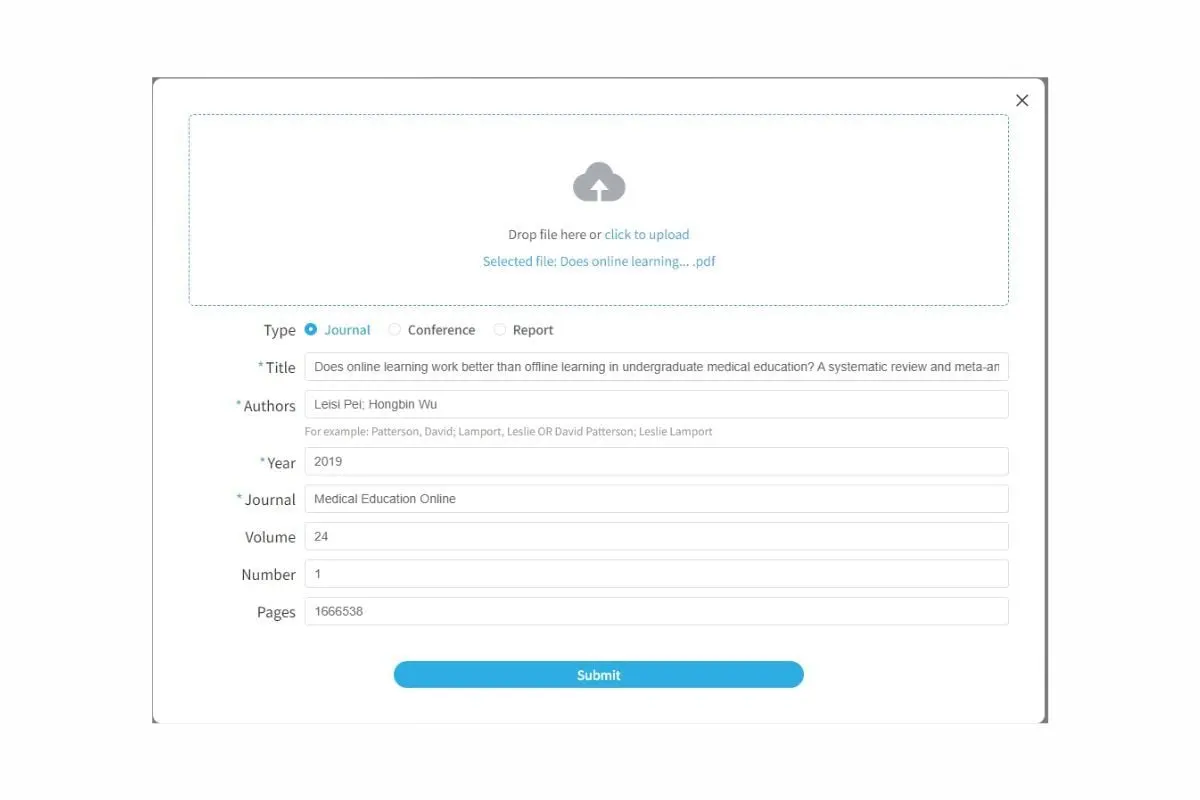
- Systematic Review and Meta-Analysis Automation: To facilitate evidence-based reviews, this tool automates data extraction, statistical synthesis, graphic creation, and literature screening.
- Export and Privacy-focused Worfklow: The program offers a desktop version that maintains data locally for increased privacy and permits export in Word (.docx), LaTeX, and Markdown.
Gatsbi integrates with the following: OpenAI API, Hybrid Models, Word, LaTeX, Markdown, and Humanizer plugin.
However, if an issue arises during integration, contact their Help Center.
Benefits of Using Gatsbi
There are numerous advantages to using Gatsbi:
Speeds Up Ideation
Gatsbi's ability to swiftly come up with several study topics and identify gaps in the existing literature enables initiatives to get off the ground without requiring hours of brainstorming.
Automated Document Writing
It saves the user a great deal of manual writing and formatting by producing completely structured drafts of research papers and patent disclosures, complete with in-text citations, tables, figures, and equations.
Supports Systematic Reviews and Meta-Analyses
Gatsbi reduces the workload for evidence-based research tasks by streamlining study screening, data extraction, and synthesis.
Enhances Privacy and Control
Gatsbi offers a research workflow that enables users to control critical inputs and outputs through desktop usage and local data processing options.
Facilitates Cross-Disciplinary Innovation
By connecting disparate topics through extensive literature analysis, the tool facilitates the development of fresh theories and unconventional research approaches.
What Business Types Use Gatsbi?
The following sectors and companies benefit the most from Gatsbi:
- Academic & Research Institutions
Gatsbi is used by universities, colleges, and research labs to expedite workflows related to idea development, literature evaluation, paper preparation, and publication.
- R&D-Teams in Engineering/Technology Firms
Gatsbi is used by innovative businesses to generate technical solutions, record prototypes, and create technical papers or patents.
- Start-ups & Innovators
Gatsbi is used by early-stage businesses and innovators to save money and time while recording inventions, creating patent disclosures, or transforming concepts into publishable form.
- Students, Graduate Researchers & Academic Writers
By automating certain writing and formatting tasks, Gatsbi helps individual students and PhD candidates with their research articles, projects, and theses.
- Enterprises with Intellectual-Property/Innovation Portfolios
Gatsbi is used by larger organizations with a high number of patents or research outputs to coordinate innovation workflows, generate documents, and export formats for both internal and external use.
Best 5 Alternatives to Gatsbi
In addition to the review, the team utilized information from other reliable databases and sources to objectively evaluate Gatsbi. The Research.com team is aware that every company and sales force has different needs; thus, Gatsbi's solution might not be suitable for everyone. The team has identified the most effective alternatives to Gatsbi after conducting a comprehensive review.
1. Paperpal
Paperpal is a comprehensive academic writing helper that assists students and researchers with plagiarism detection, grammar and style correction, citation generation (from a database of over 250 million articles), and submission readiness checks. For a smooth workflow, it connects with Google Docs, Microsoft Word, and Overleaf.
2. SciSpace
SciSpace is an all-in-one research platform that provides citation automation, document drafting, AI writing support, PDF "chat" (ask questions of uploaded papers), and semantic literature search across 280 million+ papers. It was created to help researchers expedite the stages of writing and locating relevant literature.
3. WriteGO.ai
WriteGO.ai is an academic writing assistant dedicated to the systematic creation of scholastic papers, offering features such as outlining, customized prompts, and sophisticated editing tools that adhere to academic writing standards.
4. AcademicGPT
AcademicGPT is an AI-powered tool designed to assist researchers in drafting and reviewing academic papers. It provides an interactive conversation interface, elucidates complex concepts, and supports various academic writing processes.
5. Connected Papers
Connected Papers is a research discovery tool, rather than a comprehensive manuscript generation platform; it facilitates the visualization of relationships between research papers through citation graphs, identifies gaps within a domain, and aids in planning research trajectories. It serves as a valuable complement when the primary requirement is ideation.
Frequently Asked Questions (FAQs)
Gatsbi is an AI-powered research assistant that helps users generate research ideas, draft academic papers, do literature analysis, and create patent disclosure paperwork. It streamlines research workflows by automating tasks such as writing, formatting, and ideation.
Indeed. A comprehensive draft that includes the abstract, introduction, methodology, findings, discussion, tables, figures, and citations can be produced by Gatsbi. Users are still responsible for ensuring originality, verifying accuracy, and adhering to academic integrity requirements.
Technical expertise is not required. Users only need to enter prompts or themes to generate papers or patent docs, thanks to the user-friendly UI.
While Gatsbi offers innovative tools for automated drafting, it may not yet fully replace human expertise for patent drafting. The platform might struggle with complex technical specifics and legal nuances, which are often critical in patents, thus requiring professional review to ensure accuracy.


