
Exploring Intelligent Document Processing (IDP): A Comprehensive Guide to Its Advantages

Co-Founder and Chief Data Scientist
In this digital era, keeping records of and finding vital or relevant information in thousands of documents can be difficult. In this scenario, IDP (intelligent Document Processing) comes as a game changer that is capable of:
- Handling a huge number of documents.
- Data extraction automation.
- Workflow optimization.
In this detailed guide, we’ll introduce you to what IDP is, its elements, and its advantages. Let’s embark on the journey and explore IDP's potential.
Featuerd Document Management Software Products

$19 per seat per month billed annually
14 days
collaboration, e-signature, automated workflows
Editor's Take
PandaDoc is a powerful, all-in-one document management and e-signature solution designed to simplify the creation, approval, and management of business documents. Ideal for sales, HR, and operations teams, PandaDoc provides an intuitive platform for creating proposals, contracts, quotes, and more, all with a user-friendly drag-and-drop editor that speeds up document creation and enhances brand consistency.
PandaDoc’s real-time collaboration features allow teams and clients to review, comment, and negotiate terms directly within the document, eliminating the need for back-and-forth emails. Built-in e-signature capabilities make it easy to obtain legally binding signatures, while automated workflows and analytics offer visibility into document status and engagement, empowering teams to track progress and optimize sales cycles. PandaDoc integrates seamlessly with CRMs, payment processors, and project management tools like Salesforce, HubSpot, and Stripe, streamlining operations and enhancing productivity across departments. For businesses looking to improve efficiency and control over document workflows, PandaDoc provides a comprehensive, scalable solution.
Expert Score
In evaluating SaaS software, a comprehensive and structured methodology ensures a fair and accurate comparison across key metrics. This approach focuses on the most critical aspects that affect user experience, functionality, and business value. The following metrics—general features, cost, customer service, integrations, and mobile support—are evaluated to provide a holistic view of each software solution’s strengths and weaknesses. These metrics are selected based on their direct impact on software usability, scalability, and long-term effectiveness for businesses.
1. General Features - scoring weight 40%
This metric evaluates the core functionalities and tools the software offers. It involves assessing the comprehensiveness of the features, their relevance to the target users, and the ease of use. This is important because robust and well-designed features determine the software's overall utility and efficiency in solving user problems.
2. Cost - scoring weight 15%
Cost analysis focuses on pricing models, value for money, and scalability. It's crucial to evaluate whether the software’s features justify its price, considering different plans for small and large organizations. This is vital for businesses to ensure they invest in cost-effective solutions that fit their budget.
3. Customer Service - scoring weight 15%
This evaluates the responsiveness, quality, and availability of customer support, including channels like chat, email, or phone. Good customer service is essential for troubleshooting and ensuring smooth software usage, which reduces downtime and frustration for users.
4. Integrations - scoring weight 15%
This examines how well the software integrates with third-party tools (e.g., CRM, payment systems, collaboration apps). Seamless integrations are key for creating a unified workflow and enhancing productivity by connecting multiple systems, which is crucial for operational efficiency.
5. Mobile Support - scoring weight 15%
Mobile support assesses the software’s functionality and performance on mobile devices, including apps and mobile web versions. With increasing remote work and on-the-go usage, strong mobile support is critical to ensure users can access and utilize the software effectively, regardless of location.

$10 per user per month
Google Drive, Slack, Salesforce, and QuickBooks
Request forms and @mentions
Editor's Take
Wrike is a project management platform designed to help teams streamline their workflows and boost productivity. It offers a flexible, user-friendly interface that allows users to manage tasks, track progress, and collaborate on projects in real time. With its customizable dashboards and detailed reporting tools, Wrike provides clear visibility into project timelines and team performance. The platform also supports automation, enabling teams to automate repetitive tasks and reduce manual efforts. Collaboration is enhanced through features like task comments, file sharing, and integrations with tools such as Slack, Microsoft Teams, and Google Workspace. Wrike’s scalability makes it suitable for teams of any size, from small businesses to large enterprises.
Expert Score
In evaluating SaaS software, a comprehensive and structured methodology ensures a fair and accurate comparison across key metrics. This approach focuses on the most critical aspects that affect user experience, functionality, and business value. The following metrics—general features, cost, customer service, integrations, and mobile support—are evaluated to provide a holistic view of each software solution’s strengths and weaknesses. These metrics are selected based on their direct impact on software usability, scalability, and long-term effectiveness for businesses.
1. General Features - scoring weight 40%
This metric evaluates the core functionalities and tools the software offers. It involves assessing the comprehensiveness of the features, their relevance to the target users, and the ease of use. This is important because robust and well-designed features determine the software’s overall utility and efficiency in solving user problems.
2. Cost - scoring weight 15%
Cost analysis focuses on pricing models, value for money, and scalability. It’s crucial to evaluate whether the software’s features justify its price, considering different plans for small and large organizations. This is vital for businesses to ensure they invest in cost-effective solutions that fit their budget.
3. Customer Service - scoring weight 15%
This evaluates the responsiveness, quality, and availability of customer support, including channels like chat, email, or phone. Good customer service is essential for troubleshooting and ensuring smooth software usage, which reduces downtime and frustration for users.
4. Integrations - scoring weight 15%
This examines how well the software integrates with third-party tools (e.g., CRM, payment systems, collaboration apps). Seamless integrations are key for creating a unified workflow and enhancing productivity by connecting multiple systems, which is crucial for operational efficiency.
5. Mobile Support - scoring weight 15%
Mobile support assesses the software’s functionality and performance on mobile devices, including apps and mobile web versions. With increasing remote work and on-the-go usage, strong mobile support is critical to ensure users can access and utilize the software effectively, regardless of location.

$14.99 per month billed annaully
Yes
document merging, form filling, e-signatures
Editor's Take
Xodo is a versatile PDF editing and document management tool designed to simplify how users read, edit, annotate, and collaborate on PDF files. Available across multiple platforms, including web, desktop, and mobile, Xodo is popular for its intuitive interface and range of features that support both individual and team workflows.
Xodo allows users to annotate PDFs with highlights, comments, and drawings, making it ideal for reviewing and marking up documents. The software includes features like document merging, form filling, and e-signatures, making it a comprehensive tool for managing digital documents. With real-time collaboration capabilities, Xodo enables users to share documents and work together seamlessly, enhancing productivity in remote and collaborative work environments. Known for its user-friendly design and robust functionality, Xodo is a practical solution for anyone looking to simplify document management and collaboration.
Expert Score
In evaluating SaaS software, a comprehensive and structured methodology ensures a fair and accurate comparison across key metrics. This approach focuses on the most critical aspects that affect user experience, functionality, and business value. The following metrics—general features, cost, customer service, integrations, and mobile support—are evaluated to provide a holistic view of each software solution’s strengths and weaknesses. These metrics are selected based on their direct impact on software usability, scalability, and long-term effectiveness for businesses.
1. General Features - scoring weight 40%
This metric evaluates the core functionalities and tools the software offers. It involves assessing the comprehensiveness of the features, their relevance to the target users, and the ease of use. This is important because robust and well-designed features determine the software's overall utility and efficiency in solving user problems.
2. Cost - scoring weight 15%
Cost analysis focuses on pricing models, value for money, and scalability. It's crucial to evaluate whether the software’s features justify its price, considering different plans for small and large organizations. This is vital for businesses to ensure they invest in cost-effective solutions that fit their budget.
3. Customer Service - scoring weight 15%
This evaluates the responsiveness, quality, and availability of customer support, including channels like chat, email, or phone. Good customer service is essential for troubleshooting and ensuring smooth software usage, which reduces downtime and frustration for users.
4. Integrations - scoring weight 15%
This examines how well the software integrates with third-party tools (e.g., CRM, payment systems, collaboration apps). Seamless integrations are key for creating a unified workflow and enhancing productivity by connecting multiple systems, which is crucial for operational efficiency.
5. Mobile Support - scoring weight 15%
Mobile support assesses the software’s functionality and performance on mobile devices, including apps and mobile web versions. With increasing remote work and on-the-go usage, strong mobile support is critical to ensure users can access and utilize the software effectively, regardless of location.

By quote
Yes
PDF viewing, editing, annotation
Editor's Take
Qoppa PDF Studio is a robust PDF editing software designed for both individual users and businesses, offering a wide range of features for handling PDF documents. With a user-friendly interface, it provides tools for viewing, editing, annotating, and converting PDFs. Users can create and modify text, images, and shapes, as well as add comments and annotations. The software also includes advanced capabilities like OCR (optical character recognition), form creation, and digital signatures.
One of its standout features is the ability to batch process PDFs, which helps streamline repetitive tasks like watermarking, splitting, and merging documents. It also supports PDF form filling, which is especially useful for businesses needing to collect and manage data efficiently.
Available for Windows, macOS, and Linux, Qoppa PDF Studio caters to a wide range of users looking for a powerful, cost-effective PDF solution without the subscription model of other popular software. It's well-suited for professionals needing reliable and feature-rich PDF handling tools.
Expert Score
In evaluating SaaS software, a comprehensive and structured methodology ensures a fair and accurate comparison across key metrics. This approach focuses on the most critical aspects that affect user experience, functionality, and business value. The following metrics—general features, cost, customer service, integrations, and mobile support—are evaluated to provide a holistic view of each software solution’s strengths and weaknesses. These metrics are selected based on their direct impact on software usability, scalability, and long-term effectiveness for businesses.
1. General Features - scoring weight 40%
This metric evaluates the core functionalities and tools the software offers. It involves assessing the comprehensiveness of the features, their relevance to the target users, and the ease of use. This is important because robust and well-designed features determine the software’s overall utility and efficiency in solving user problems.
2. Cost - scoring weight 15%
Cost analysis focuses on pricing models, value for money, and scalability. It’s crucial to evaluate whether the software’s features justify its price, considering different plans for small and large organizations. This is vital for businesses to ensure they invest in cost-effective solutions that fit their budget.
3. Customer Service - scoring weight 15%
This evaluates the responsiveness, quality, and availability of customer support, including channels like chat, email, or phone. Good customer service is essential for troubleshooting and ensuring smooth software usage, which reduces downtime and frustration for users.
4. Integrations - scoring weight 15%
This examines how well the software integrates with third-party tools (e.g., CRM, payment systems, collaboration apps). Seamless integrations are key for creating a unified workflow and enhancing productivity by connecting multiple systems, which is crucial for operational efficiency.
5. Mobile Support - scoring weight 15%
Mobile support assesses the software’s functionality and performance on mobile devices, including apps and mobile web versions. With increasing remote work and on-the-go usage, strong mobile support is critical to ensure users can access and utilize the software effectively, regardless of location.
What is IDP ( Intelligent Document Processing)?
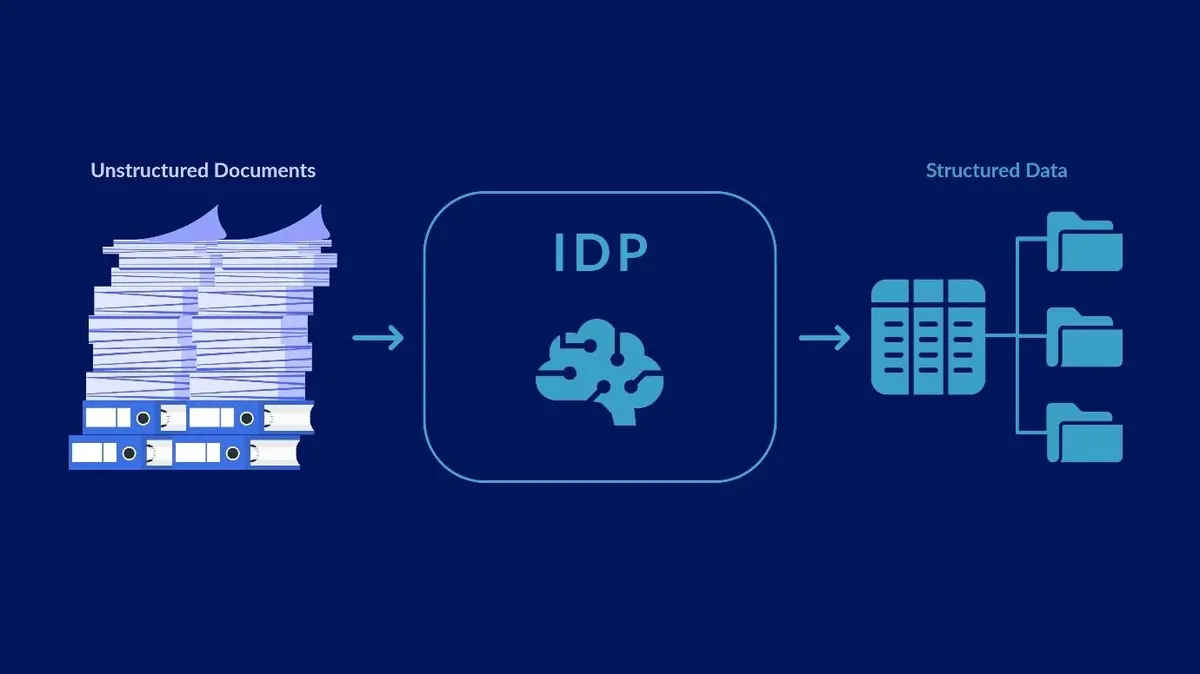
Intelligence document processing is a cutting-edge technology that is utilized to handle a broad variety of structured, unstructured, as well as semi-structured documents. Below are the technologies that support IDP at the backend:
Optical Character Recognition (OCR: OCR technology plays a major role in IDP. This remarkable tech is used to extract text from images. It is the same tech that is used by image-to-text tools. The OCR converts non-editable text pieces into editable and flexible ones, ultimately making them usable for various applications.
Natural Language Processing (NLP):
NLP is a technology that is efficient at understanding human language. In IDP, it plays a significant role in handling unstructured data in different documents and extracting the context/intent behind the data.
Machine Learning (ML) and Artificial Intelligence (AI):
ML and AI have innovated the field of Intelligent Document Processing. These advanced technologies support IDP for gaining insights from data. Ultimately, it enables IDP to provide improved as well as precise performance.
Is there Any Difference Between OCR and IDP?
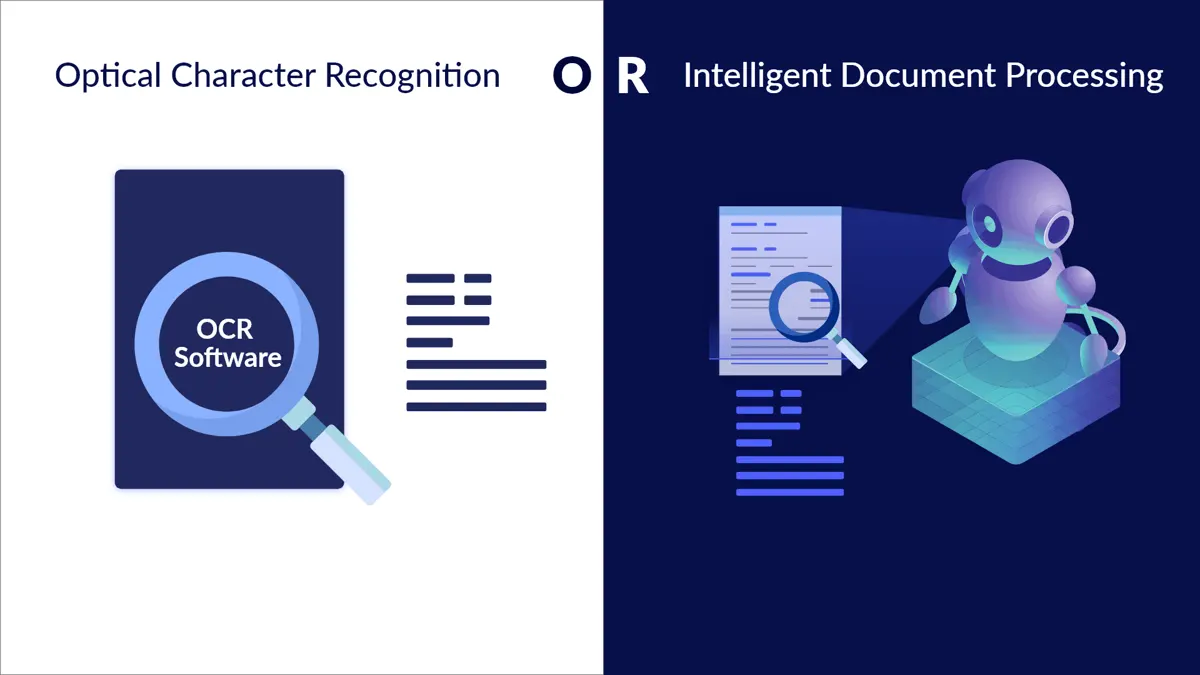
Yes, OCR and IDP are two different technologies that have different features and use cases:
| Features | OCR | IDP |
| Definition | Optical Character Recognition | Intelligent Document Processing |
| Purpose | Converts images of text into editable text | Automates the extraction and converting it into documents |
| Mechanism | Identifies and extracts text from images or scanned documents | Uses OCR, NLP, ML, and AI to understand and extract data including text, tables, and more. |
| Use Cases | Used for data entry, and digitization of documents. | Utilized for Invoice processing, contract management, forms processing, document classification, and many others. |
| Versatility | It only Connects/links digital systems and physical documents by converting their text into shareable, editable, and searchable. | Intelligently understands documents/files and arranges them in suitable formats that are simple integration. |
Prominent Advantages of Intelligent Document Processing
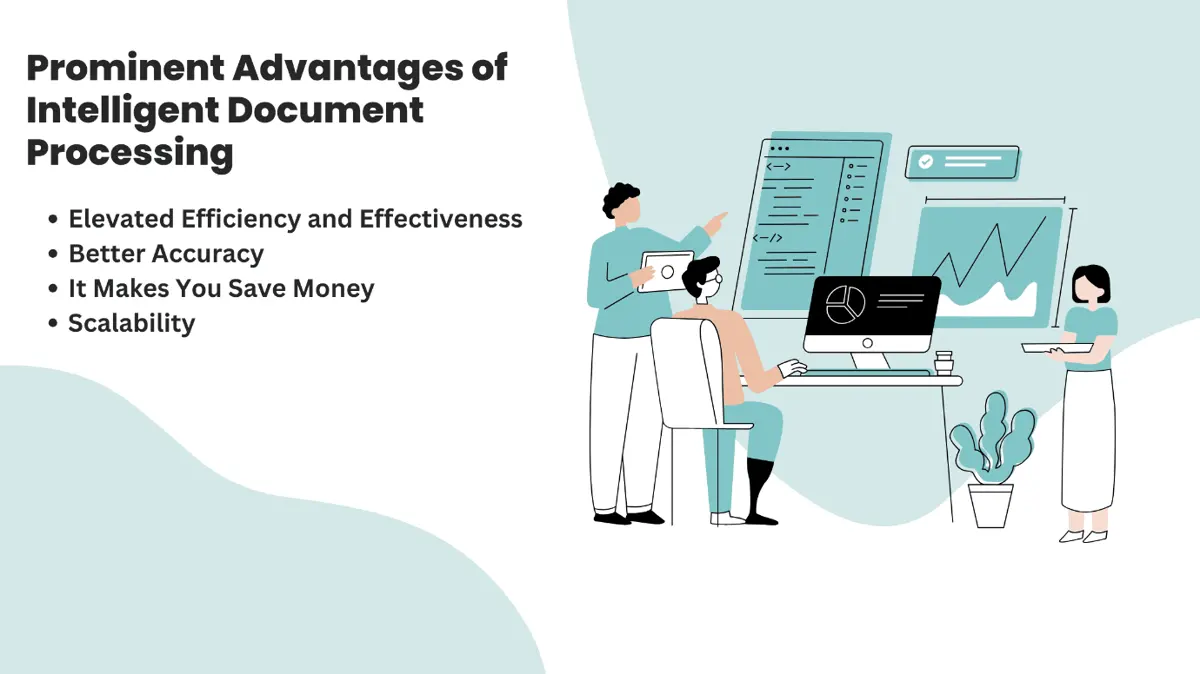
1. Elevated Efficiency and Effectiveness
One of the key benefits of IDP is that it reduces the role of human efforts or labour intensiveness in various document-focused workflows. The only time that is required by an individual may be required in the case of any issue with the documents that can’t be fixed with IDP solutions.
Using IDP demands you just a few seconds to extract, convert, index, as well as organizing data. So, it will make you run important business functions a lot more effectively and efficiently.
All in all, the IDP solution is helpful to effectively streamline the data management process which results in increased overall efficiency of workflow.
2. Better Accuracy
During the manual process of document processing, there are very chances of human errors. These errors or inaccuracies are frequent, especially when you are trying to quickly process a bulk of data. This can result in several negative consequences for your business, in the era of General Data Protection Regulation (GDPR).
However, this is not the case while using IDP. This is because the working of IDP is supported by advanced algorithms of OCR, NLP, ML, and AI artificial intelligence (As we discussed in the above sections).
These innovative systems make IDP capable of providing accurate and quality data extraction and document processing.
3. It Makes You Save Money
Every business has a key goal to cut costs and meet a tight budget. Your business will surely have this. In this scenario, Intelligence Document Processing can assist your business to save money.
IDP does so by reducing data processing time and effort, which means you will not have to hire many employees and spend a lot of money on them.
Additionally, the IDP solutions/tools can help to save costs on other operational costs. Ultimately, with improved efficiency ( as mentioned above) and money saving, you will experience a better ROI (return on investment).
4. Scalability
Another important advantage of IDP is its scalability which makes it applicable to multiple applications. So, whether you are handling hundreds or thousands of business documents per day, IDP solutions or tools can seamlessly scale to meet your evolving needs.
The scalability of Intelligent Document Processing ensures that businesses can manage large document volumes without compromising accuracy, performance, or efficiency.
What Are the Emerging Trends in Intelligent Document Processing?
Emerging trends in IDP include deeper integration of advanced AI models and self-learning algorithms to refine document classification and data extraction processes. Organizations are now employing predictive analytics and blockchain-based security solutions to enhance data integrity and streamline compliance. There is also a growing focus on integrating IDP with complementary digital tools and training systems, such as a cloud based learning management system, to ensure that teams adapt effectively to evolving workflows and technologies.
What are some common challenges businesses face when implementing IDP solutions?
While IDP offers numerous advantages, companies may encounter challenges during its implementation. Understanding these hurdles can help businesses plan and overcome potential obstacles:
- Data Quality and Preparation: IDP heavily relies on quality data. Low-quality, inconsistent, or unstructured data can hinder IDP performance and accuracy. Preparing and cleaning data before implementation is crucial for optimal outcomes.
- Integration with Existing Systems: Many businesses use a mix of legacy systems and modern platforms. Integrating IDP solutions with these diverse systems can be complex, requiring tailored solutions to ensure seamless functionality and data flow.
- Change Management and Employee Training: Transitioning to an IDP system involves a shift in workflows. Employees may need training to use the new system effectively, and some resistance to change may occur. Comprehensive training and clear communication can mitigate this issue.
- Initial Investment and Scalability Concerns: Implementing IDP can require significant initial investment in technology and infrastructure. Businesses must ensure that the solution is scalable to adapt to future document processing needs without frequent costly upgrades.
Addressing these challenges proactively can help businesses harness IDP’s full potential, leading to smoother adoption and maximum benefit from the technology.
How to Choose the Right Intelligent Document Processing Solution for Your Business
Selecting the ideal Intelligent Document Processing (IDP) solution is crucial to realizing its full potential and aligning it with your business objectives. While there are various IDP tools available, finding the right one requires a methodical approach. Below are key considerations to help guide your selection process:
- Assess Your Document Processing Needs
Analyze the type and volume of documents your business handles regularly. Whether you deal with invoices, contracts, forms, or other types of documents, understanding your specific requirements helps you identify an IDP solution tailored to your unique use case.
- Evaluate Core Features and Technologies
Ensure the chosen solution is powered by cutting-edge technologies such as OCR, NLP, ML, and AI. These features not only assure accuracy but also enable the system to process diverse document types, handle unstructured data, and learn continuously for improved performance.
- Scalability and Flexibility
Opt for a solution that can scale seamlessly as your business grows. The best solutions offer flexibility to integrate with your existing systems and adapt to emerging business needs without significant overhauls.
- Ease of Integration
Integration capabilities are pivotal when implementing IDP technology. Look for solutions that easily merge with your existing software ecosystem, such as enterprise resource planning (ERP) or customer relationship management (CRM) platforms. This ensures a smooth workflow and minimizes disruptions during adoption.
- Cost-Efficiency and ROI
Budget considerations are important. While some IDP solutions might be feature-rich, evaluate whether their cost aligns with the potential return on investment. Assess long-term savings from automation, reduced errors, and faster turnaround times to make an informed decision.
- Security and Compliance
Given the sensitive nature of business documents, prioritize solutions that ensure robust data security and comply with regulatory standards like GDPR or HIPAA. This safeguards your organization against potential liabilities and data breaches.
- Customer Support and Vendor Reputation
Choose a vendor with a strong reputation, proven expertise, and reliable customer support to assist you throughout the deployment and post-implementation journey.
Lastly, as part of digitizing your document management strategy, explore broader systems that complement IDP. Solutions like document management software can serve as a robust foundation, enhancing your IDP investment by streamlining document organization and providing centralized access to critical files.
By aligning your selection with these factors, you can implement an IDP system that delivers measurable value and positions your business for sustained success in an increasingly digitized world.
Conclusion
Intelligence Document Processing is an accurate and reliable solution for document processing. IDP accelerated the process of data extraction, indexing, and classification. It leads to increased productivity, saving money, effective business operations, and 100% accuracy.
Furthermore, IDP not only optimizes operational costs by saving time and resources but also exhibits remarkable scalability, catering to the evolving needs of businesses irrespective of document volumes. As organizations continue to navigate the complexities of managing vast amounts of data, IDP emerges as an indispensable tool, empowering them to harness the full potential of their documents while driving efficiency, accuracy, and cost-effectiveness. Embracing IDP signifies a strategic investment towards achieving sustainable growth and competitive advantage in today's dynamic business environment.
Key Insights
- Technological Integration: IDP leverages advanced technologies such as Optical Character Recognition (OCR), Natural Language Processing (NLP), Machine Learning (ML), and Artificial Intelligence (AI) to process and manage structured, unstructured, and semi-structured documents efficiently.
- Enhanced Efficiency and Accuracy: By automating document processing tasks, IDP significantly reduces human effort and error rates, leading to more efficient and accurate data management.
- Cost Reduction: IDP helps businesses save money by minimizing data processing time and effort, thereby reducing the need for large workforces and lowering operational costs.
- Scalability: IDP solutions can scale to handle varying volumes of documents, making them suitable for businesses of all sizes and ensuring that performance and accuracy are maintained regardless of document volume.
- Versatility in Use Cases: IDP is versatile and can be applied to various document-centric processes such as invoice processing, contract management, forms processing, and document classification.
Other Things You Should Know About Intelligent Document Processing (IDP)
Intelligent Document Processing (IDP) is a technology that utilizes advanced tools such as OCR, NLP, ML, and AI to manage and process various types of documents, including structured, unstructured, and semi-structured data.
OCR (Optical Character Recognition) converts images of text into editable text, whereas IDP goes beyond by using OCR along with NLP, ML, and AI to understand, extract, and organize data from documents.
The primary technologies behind IDP include Optical Character Recognition (OCR), Natural Language Processing (NLP), Machine Learning (ML), and Artificial Intelligence (AI).
The benefits of using IDP include increased efficiency and accuracy in document processing, cost savings, scalability to handle large volumes of documents, and versatility in application across various business processes.
Yes, IDP is highly scalable and can manage large volumes of documents without compromising on accuracy or performance, making it suitable for businesses with high document processing needs.
IDP improves accuracy by leveraging advanced algorithms from OCR, NLP, ML, and AI to minimize human errors and ensure precise data extraction and document processing.
IDP helps businesses save money by reducing the time and effort required for data processing, thereby decreasing the need for a large workforce and lowering operational costs.
Common use cases for IDP include invoice processing, contract management, forms processing, document classification, and any other process involving large volumes of documents that need to be organized and extracted for data.
Yes, IDP is suitable for businesses of all sizes, including small businesses, as it offers scalability and can handle varying volumes of documents efficiently.
IDP is a strategic investment because it enhances operational efficiency, reduces costs, improves accuracy, and offers scalability, thereby driving sustainable growth and competitive advantage in a dynamic business environment.


